Telegram channel configuration
Get Telegram bot credentials
- Open Telegram and search for
@BotFatherand add the Bot (note that it must be the official @BotFather, which has a blue verification icon). - Open the chat with @BotFather and follow the instructions in the conversation to create a new bot.
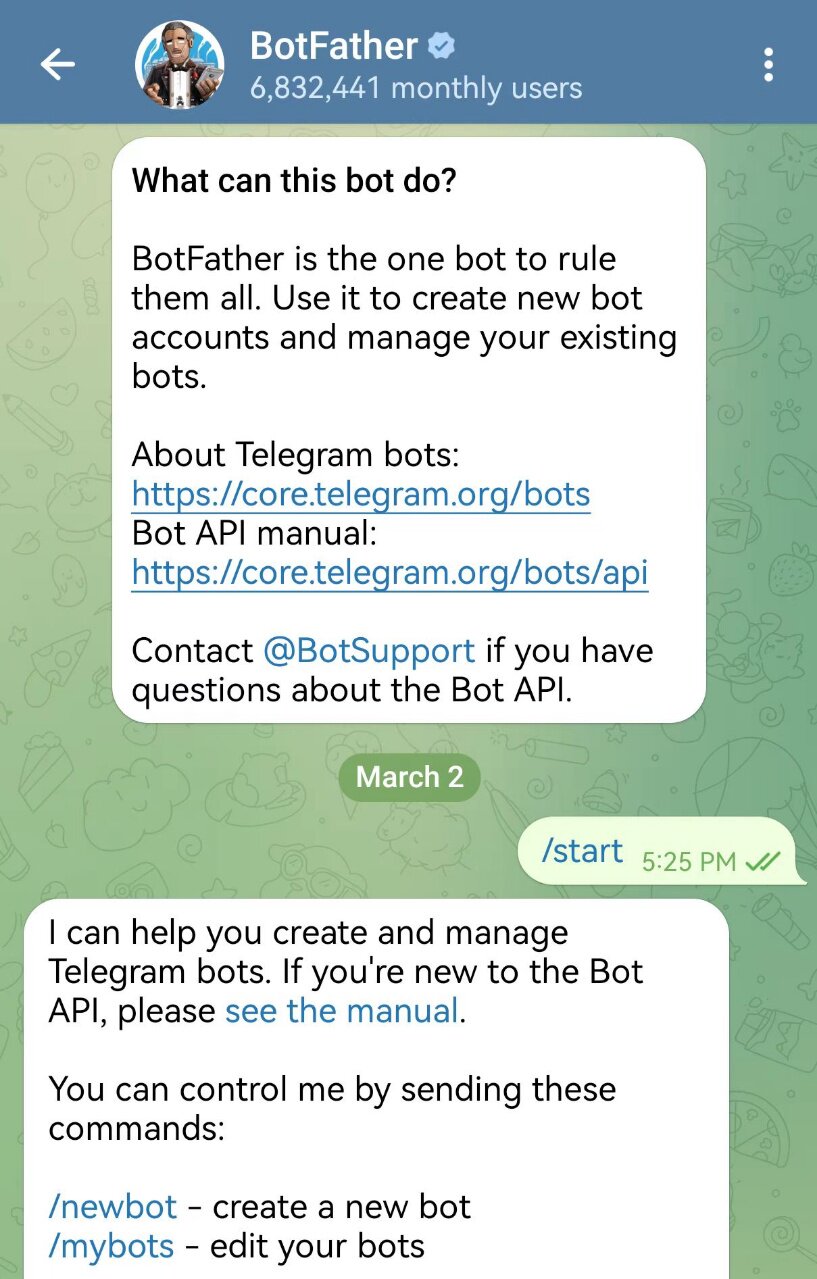
- Create bot_name in the dialog box and copy bot_token.
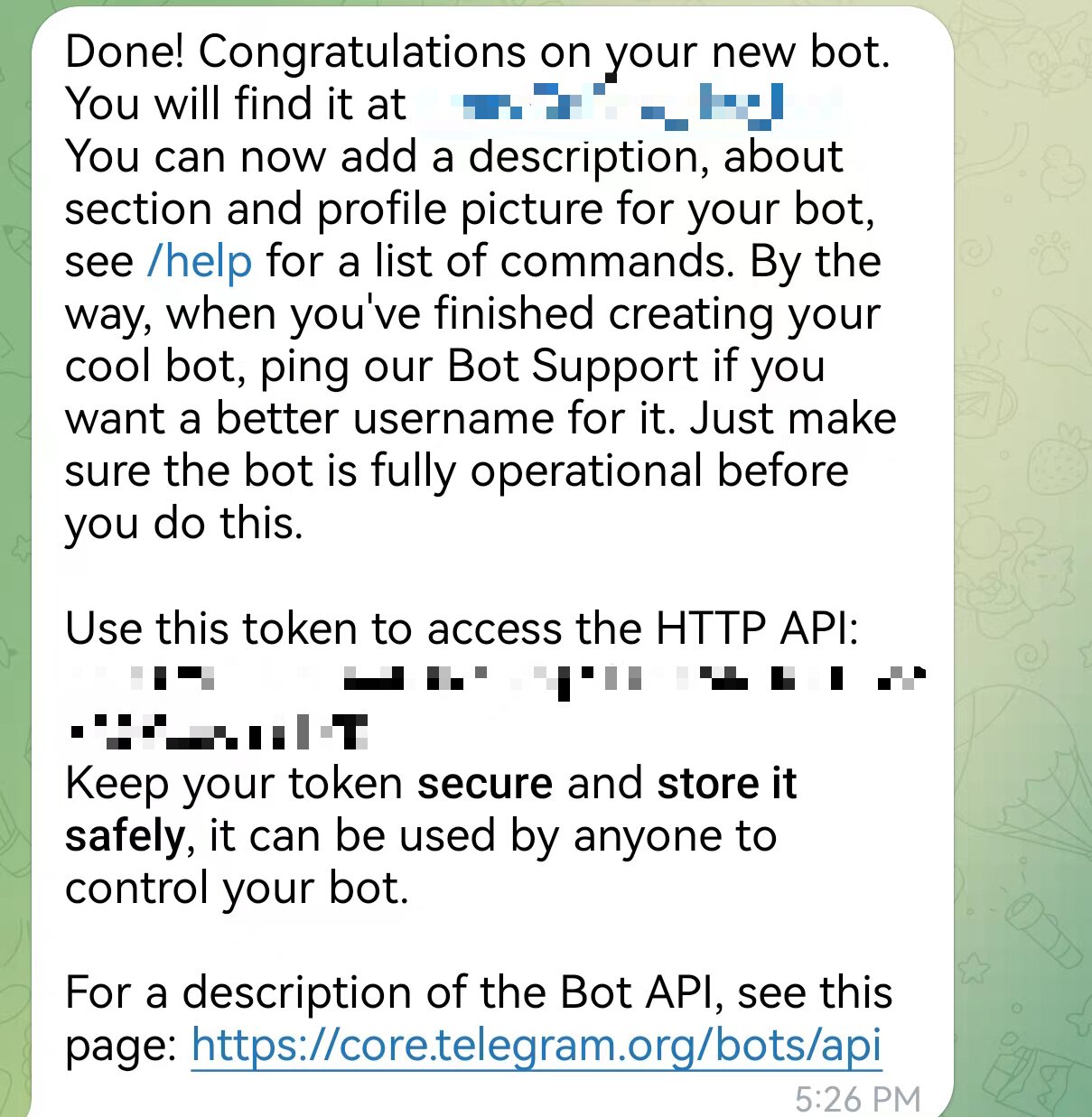
Bind Bot
Configure it on the front-end page:
Find Telegram under “Controls → Channels” , click on it, and enter the Bot Token you just obtained.
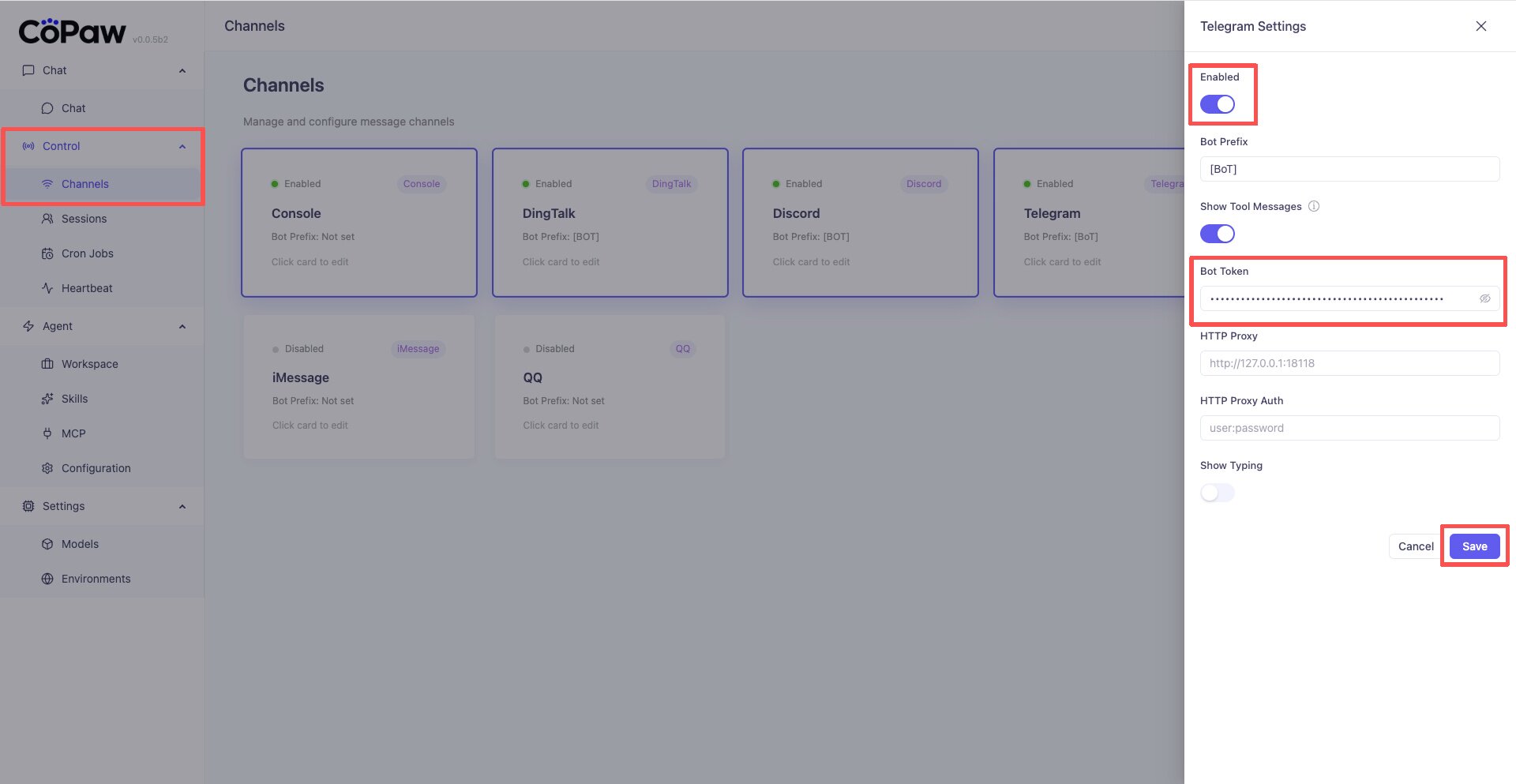
Note: Accessing the Telegram API from within China may require a proxy. If a proxy is needed, please enter the proxy address (for example ) in the `http_proxy`
http://127.0.0.1:7890field of the front-end page . If authentication is required by the proxy, enter it in `http_proxy_auth`用户名:密码; otherwise, leave it blank.
Remark
Telegram’s whitelist mechanism is still under construction. It is recommended to deploy it in personal scenarios and not expose the username to the public environment.
Recommendation in @BotFathersettings:
/setprivacy -> ENABLED # 设置bot回复权限
/setjoingroups -> DISABLED # 拦截Group邀请