Discord Channel Configuration
Get Bot Token
-
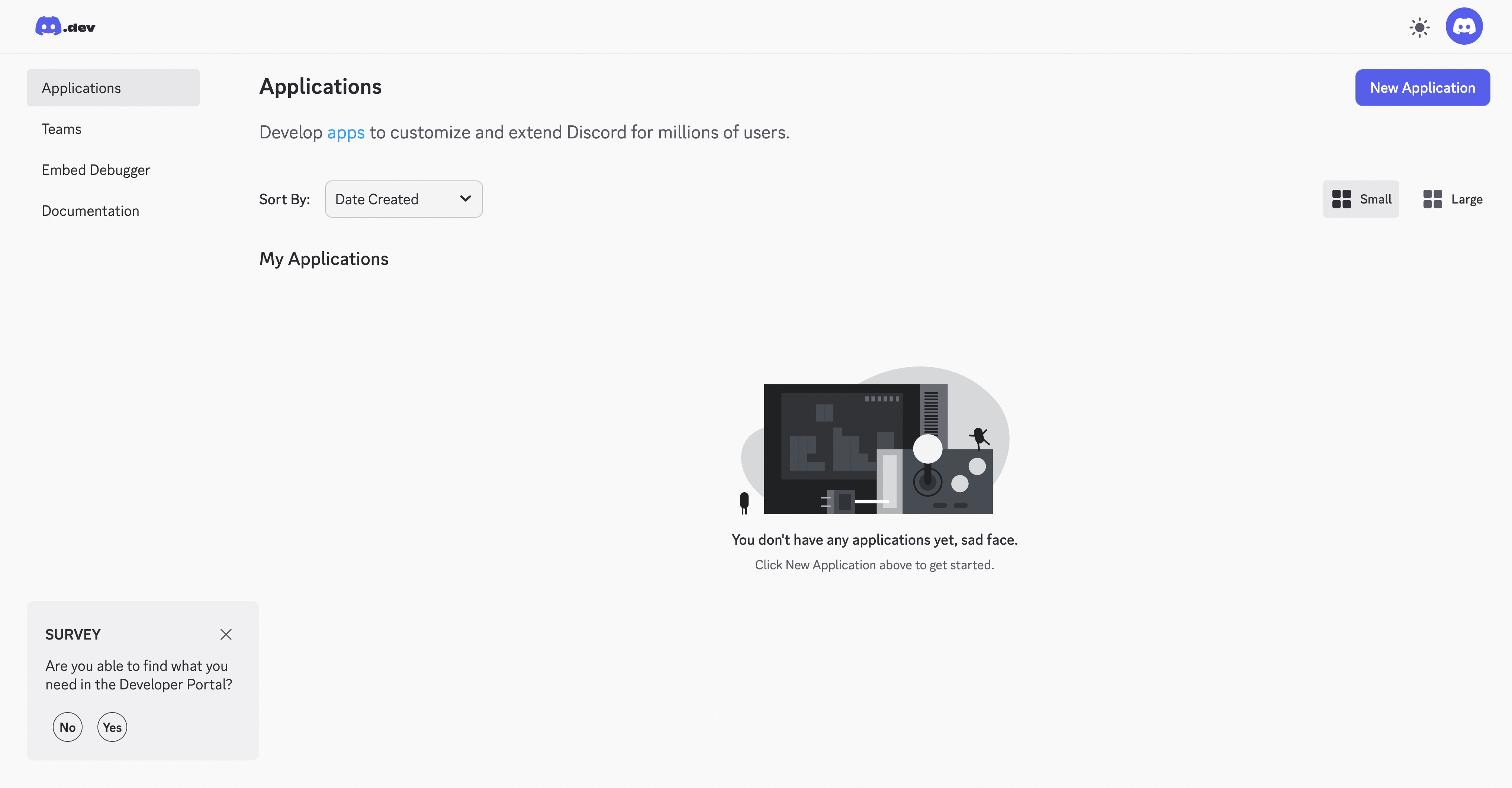
Open Discord Developer Portal

-
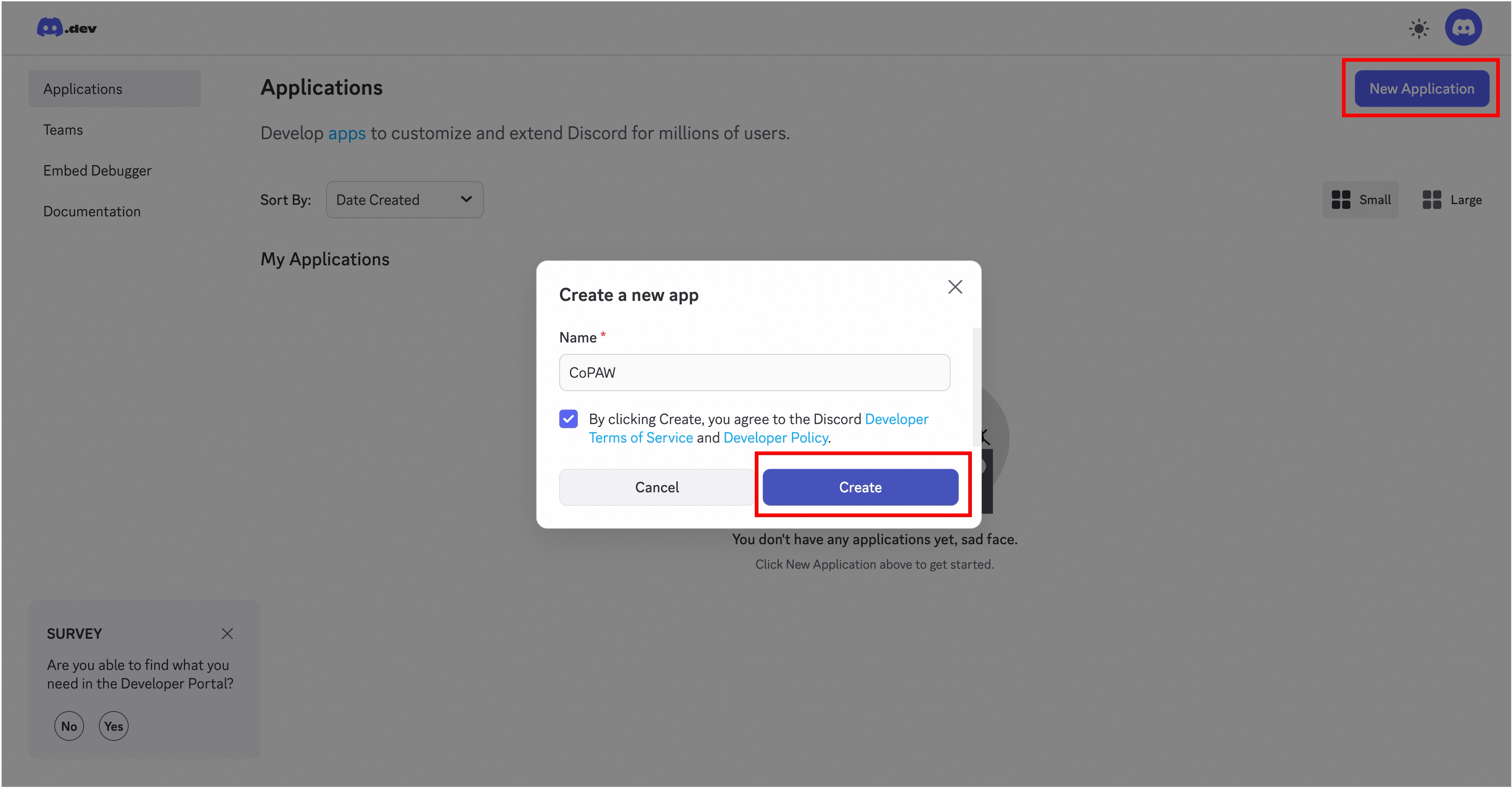
Create a new application (or select an existing application)
-
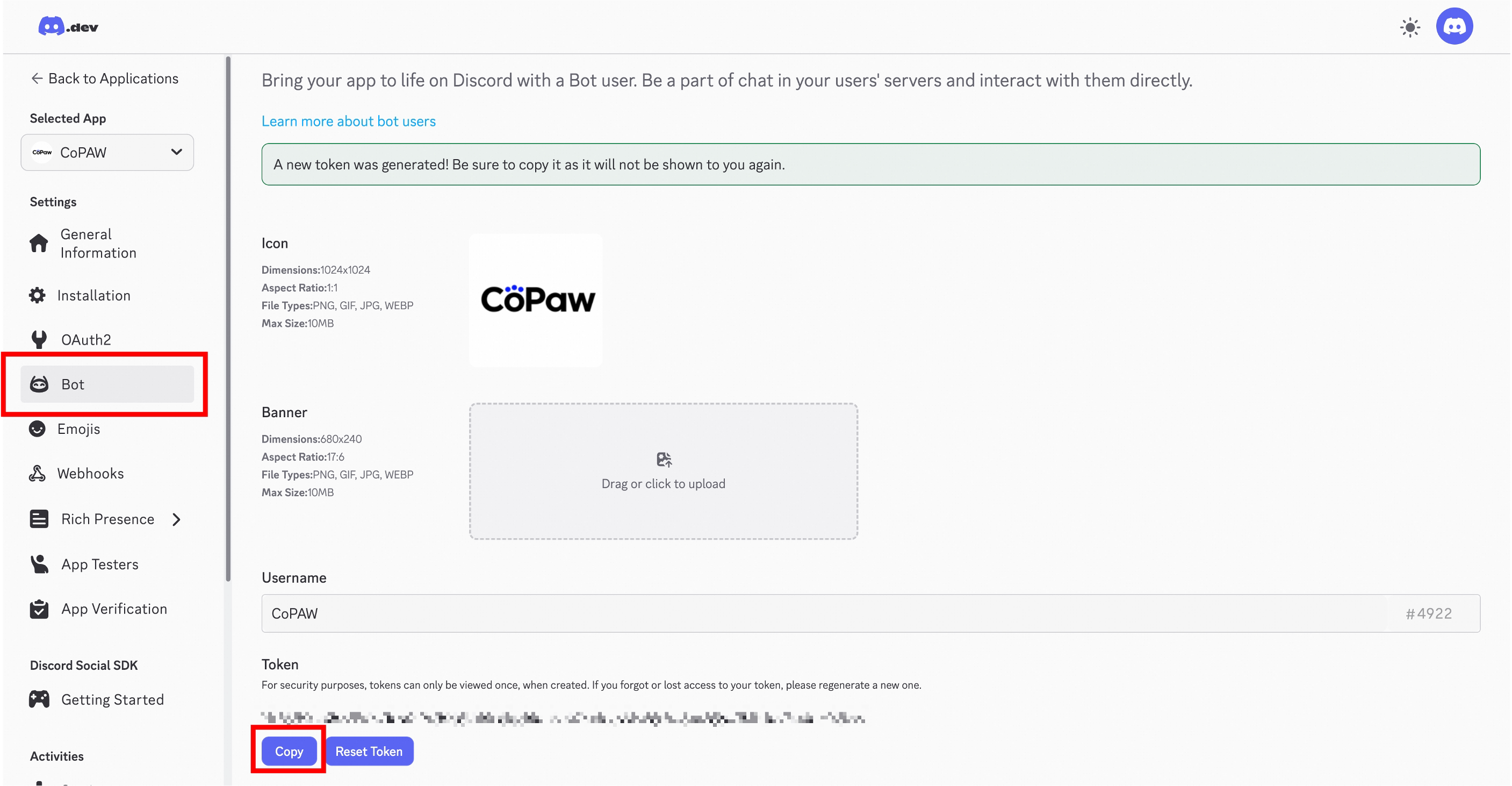
Enter the Bot section on the left, create a new Bot, and copy the Token
-
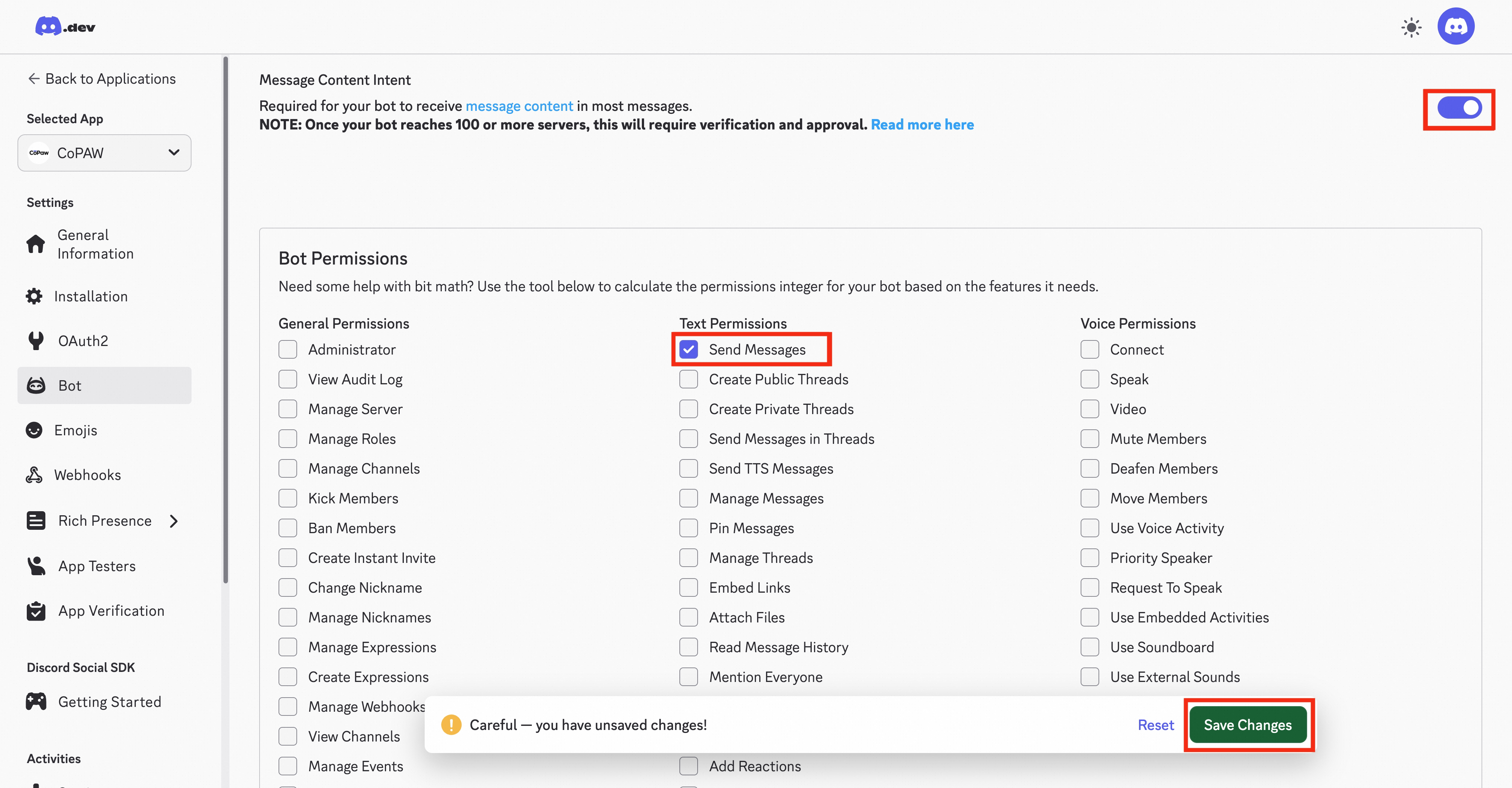
Scroll down, grant the Bot “Message Content Intent” and “Send Messages” permissions, and save.
-
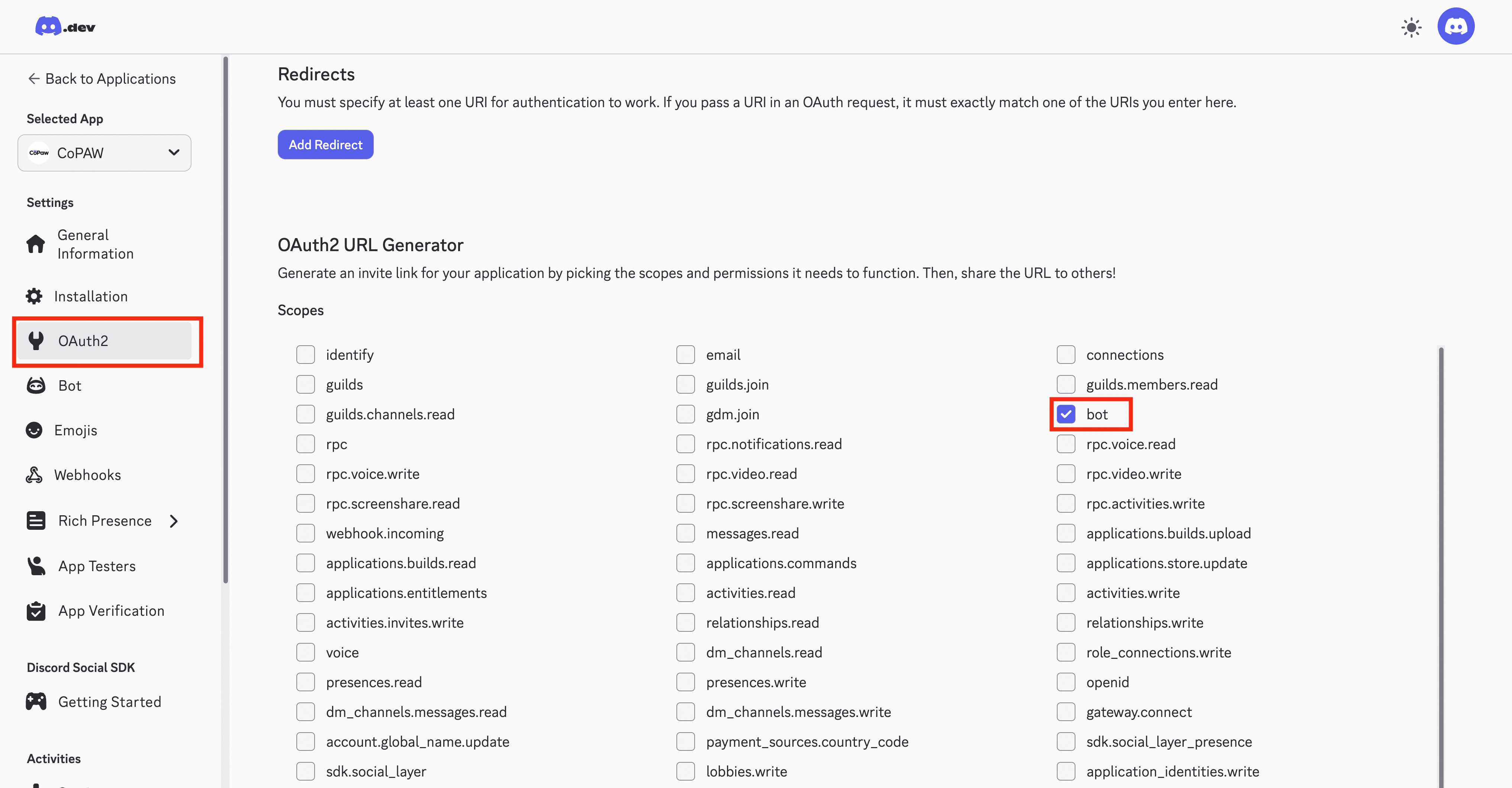
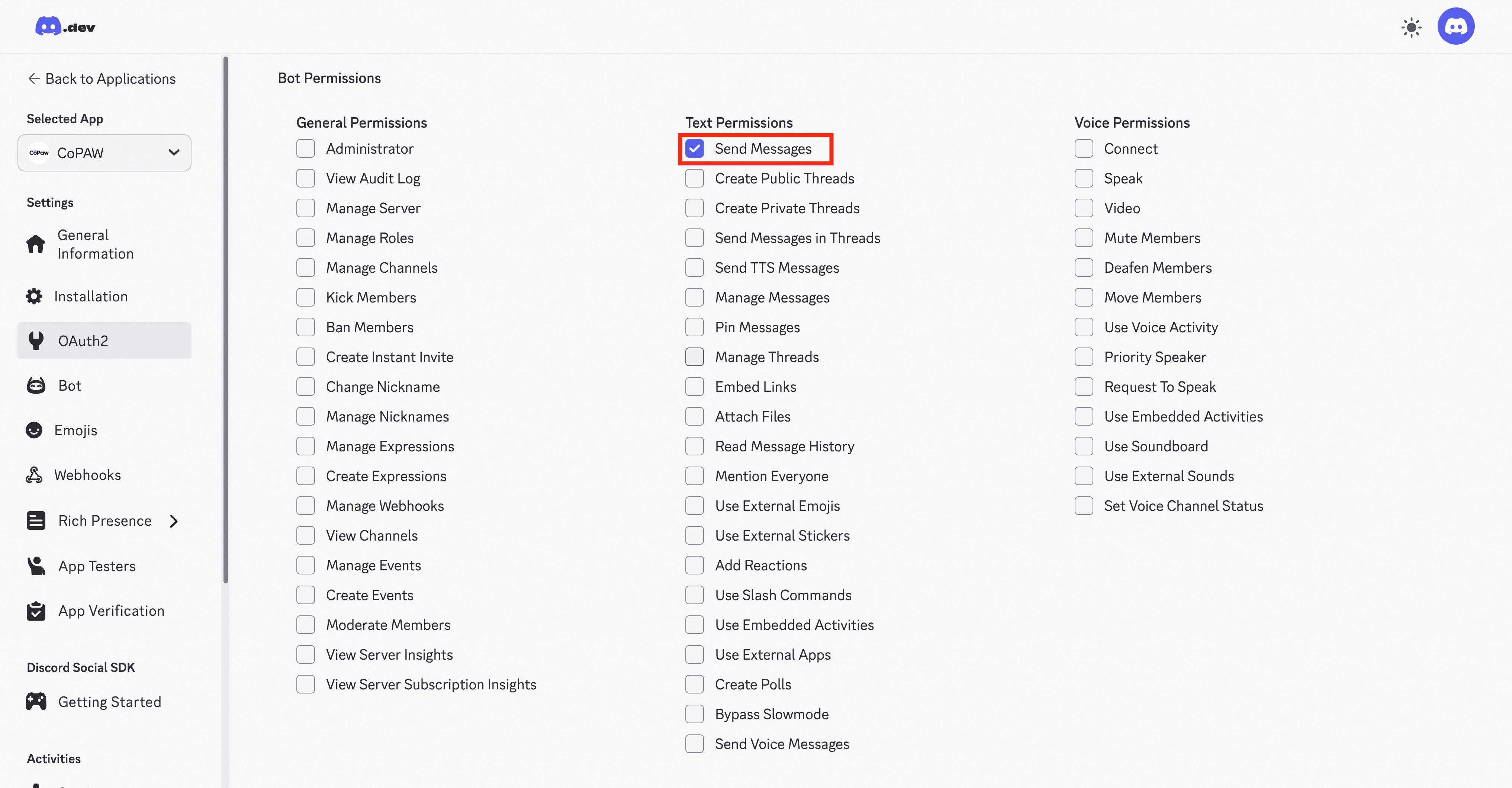
In OAuth2 → URL Generator, check the
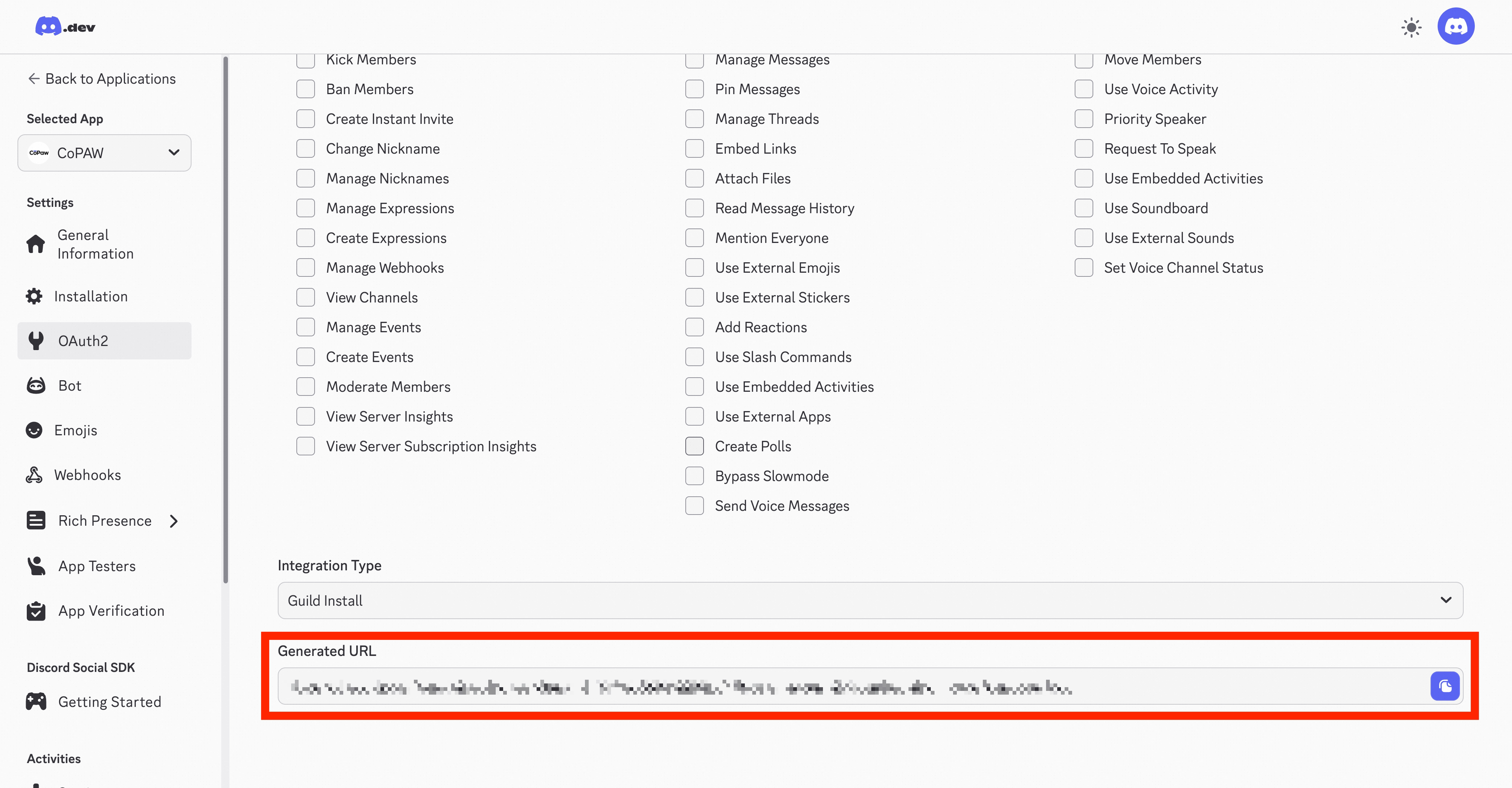
botpermission, grant the Bot “Send Messages” permission, and generate an invitation link.
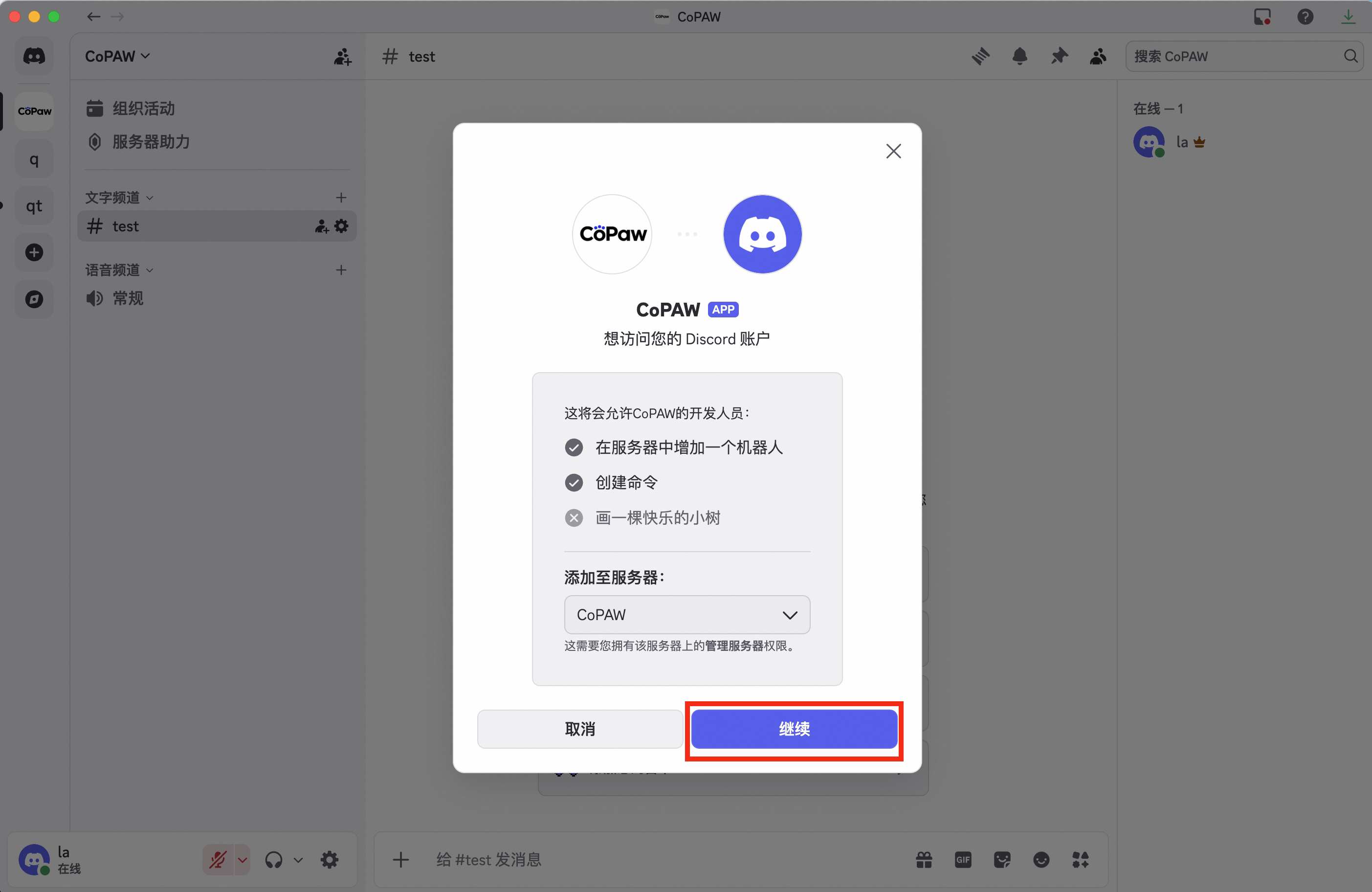
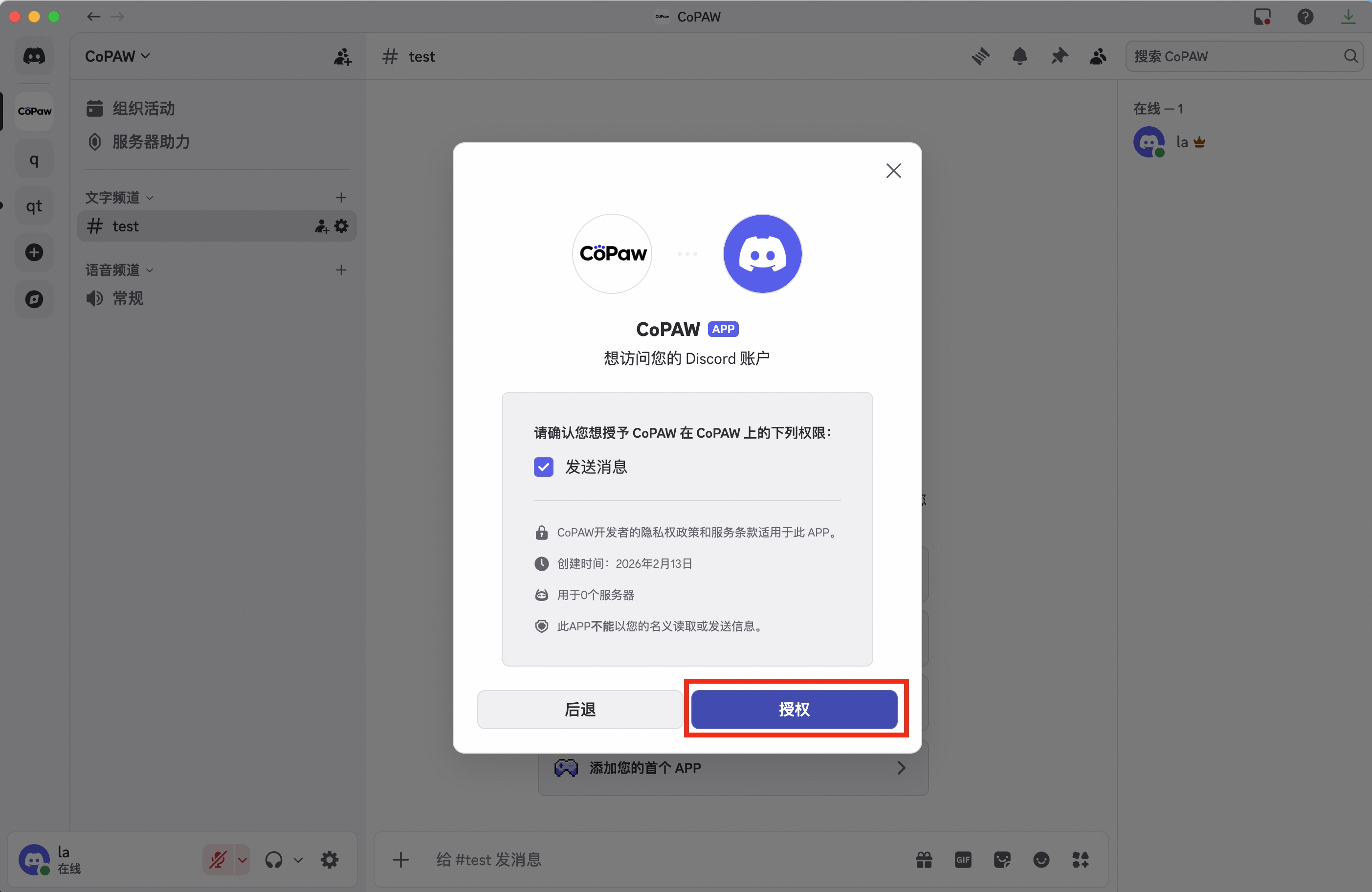
- Accessing this link in your browser will automatically redirect you to the Discord page. Pull the bot into your server
-
You can see the Bot has been added to the server.
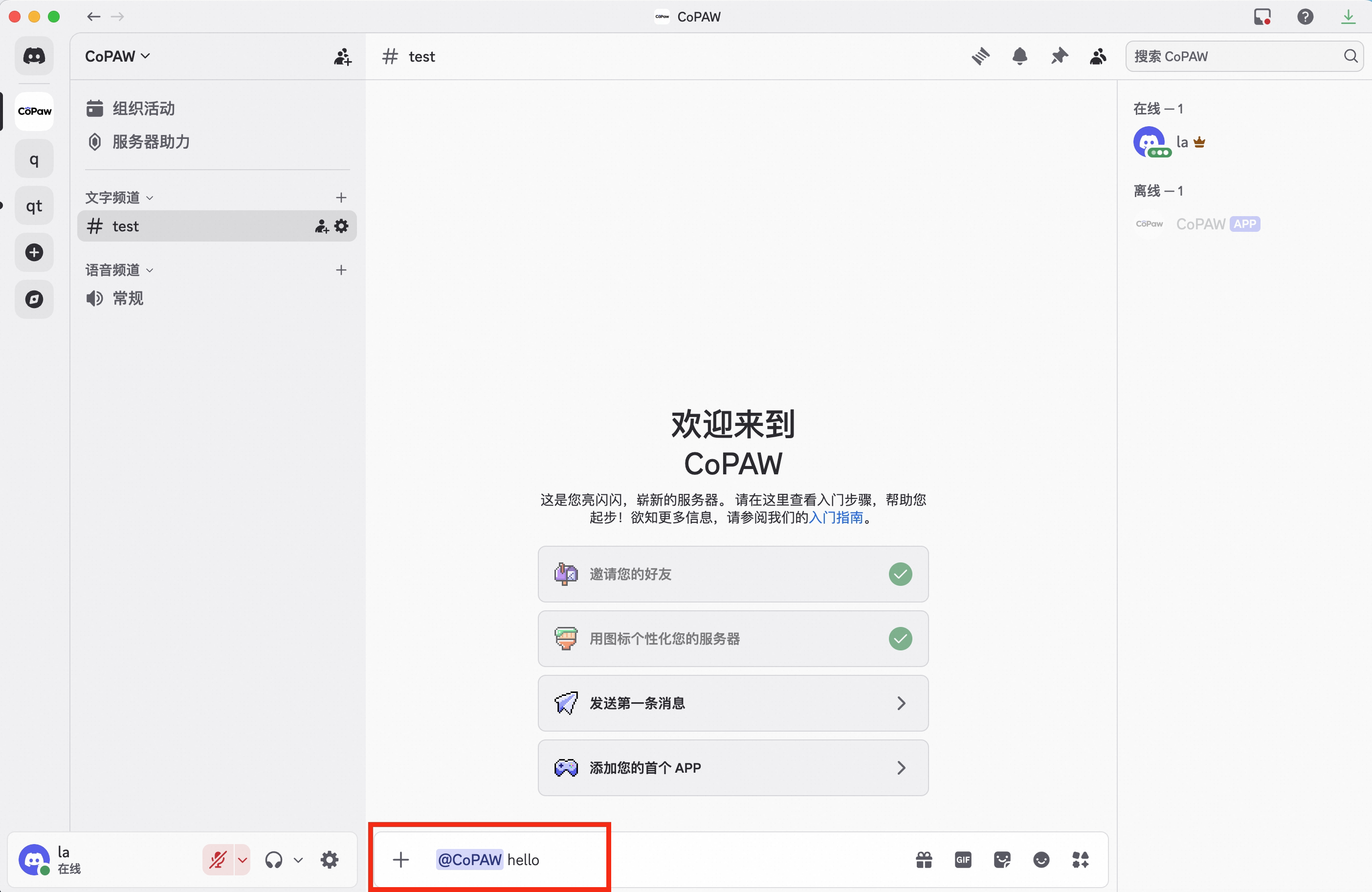
Bind Bot
Configure on the front-end page:
Find Discord in “Control → Channels”, click it, and enter the Bot Token you just obtained
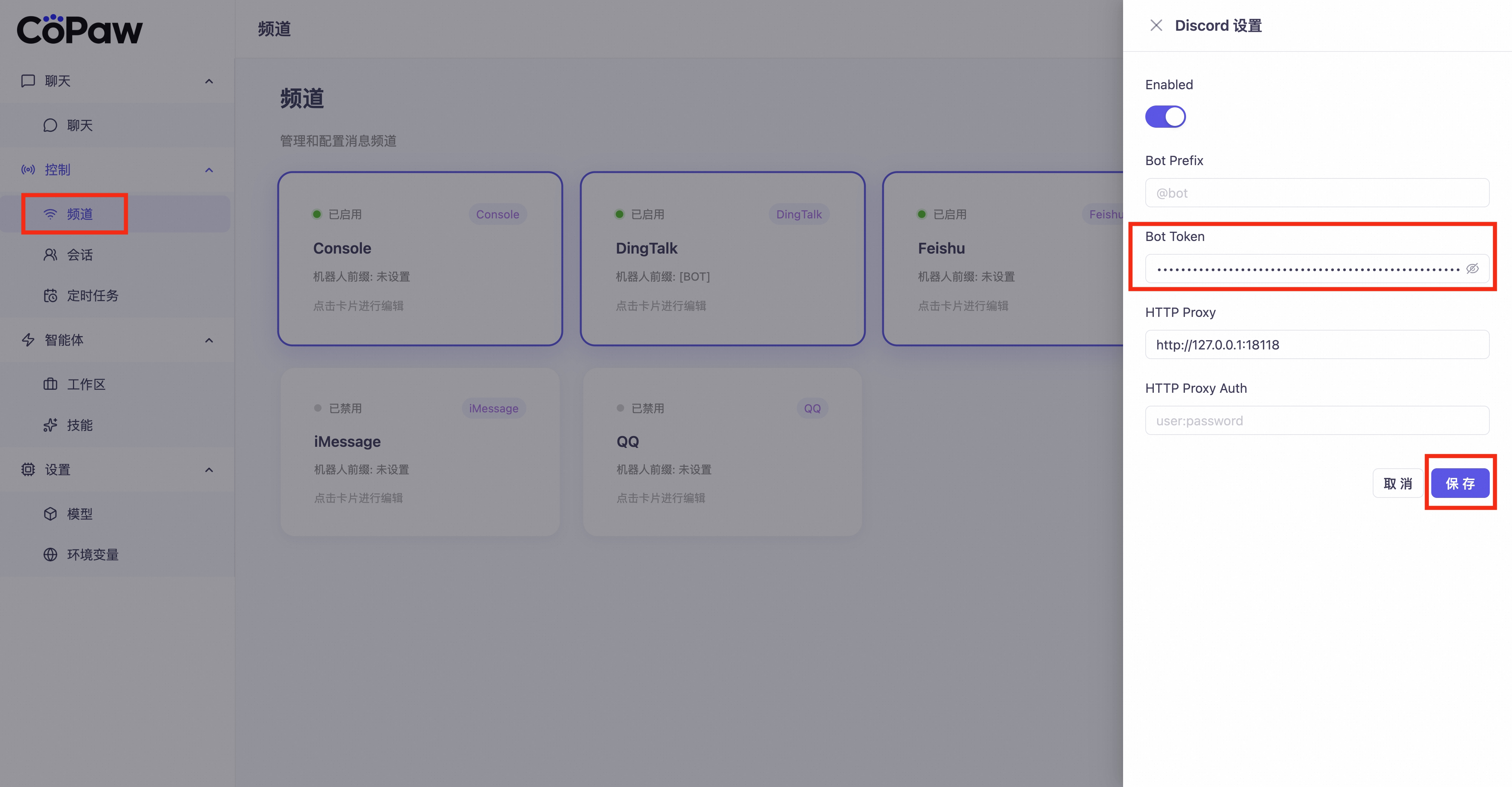
Note: Accessing the Discord API from within China may require a proxy. If a proxy is needed, please enter the proxy address (e.g.,
http://127.0.0.1:7890) in the http_proxy field of the front-end page. If the proxy requires authentication, enter `username:password` in `http_proxy_auth`; otherwise, leave it blank.